Payments, securely simplified
For both clients and service providers. The client pays the salon through the salon’s own gateway. Pluq does not take the client’s card.
To get paid using PayFast
PayFast is set up in the app today. Yoco can be added as a payment link. More gateways are on the way.
- 1
Open Pluq and stay in service provider mode.
- 2
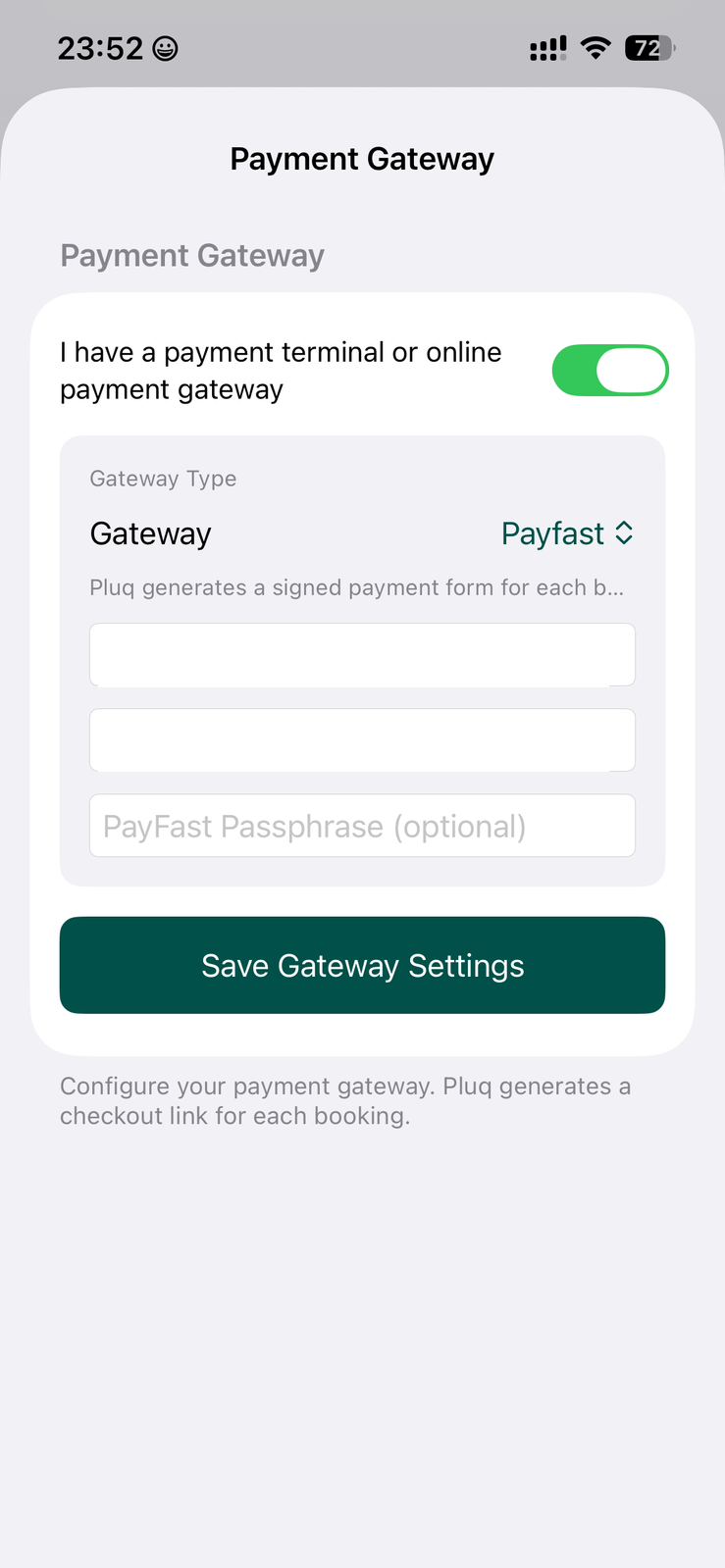
Go to Settings, then Payment gateway.
- 3
Turn the gateway on.
- 4
Choose PayFast.
- 5
Enter the merchant ID, merchant key, and passphrase if your PayFast account uses one.
- 6
Save gateway settings. Those details live in your PayFast account, under Settings.